
Shift Glance - Shift Calendar1.1 - App Store
You'll be able to see results in few seconds.
Publisher Description
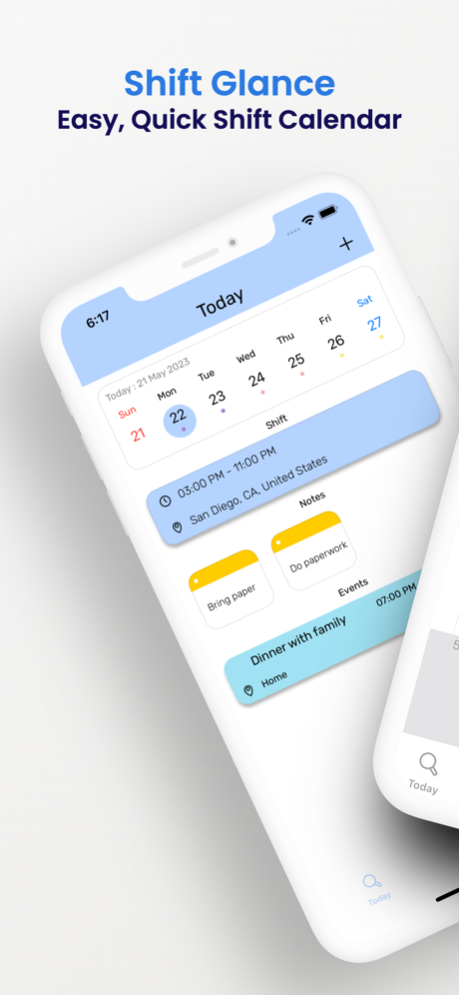
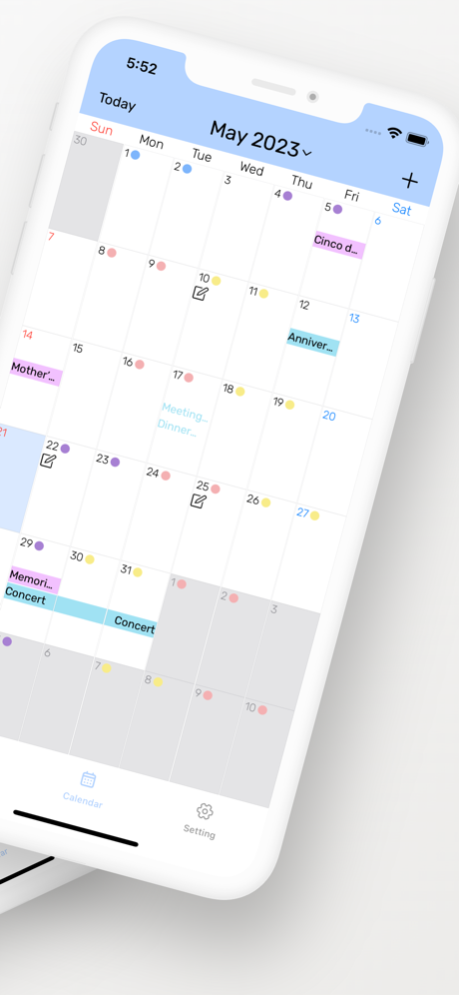
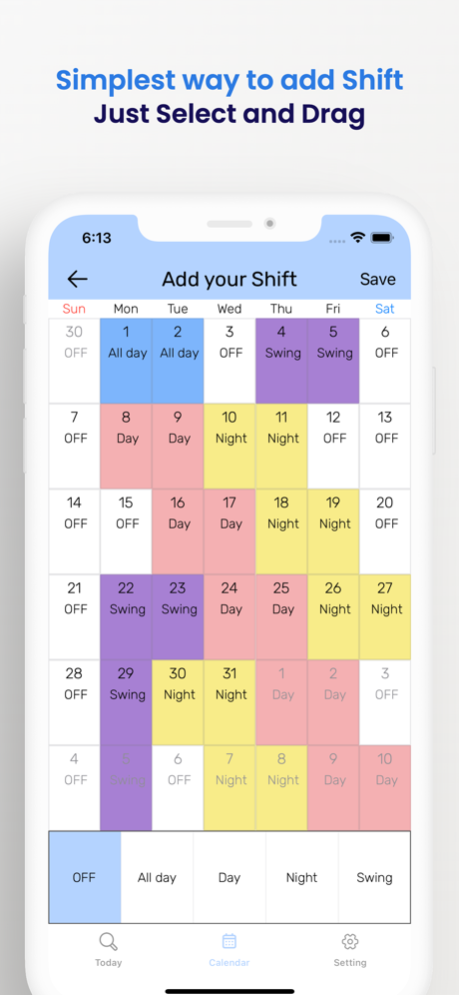
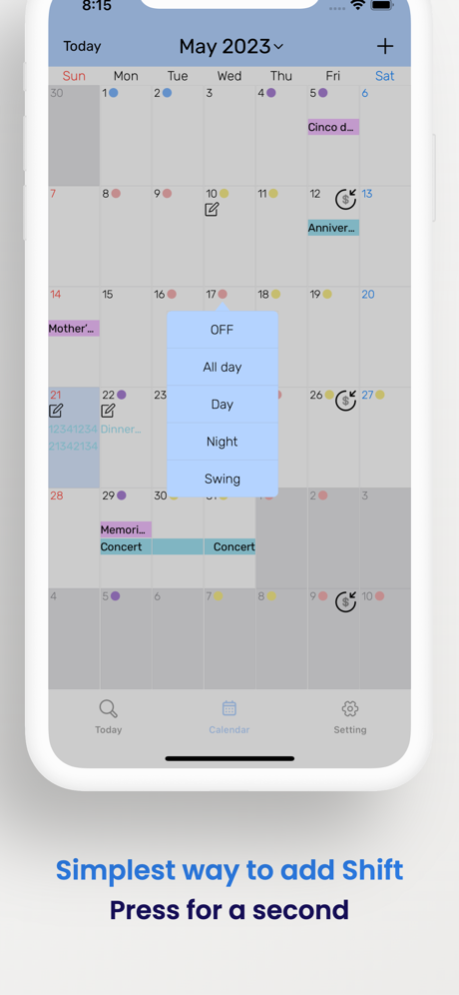
Effortless Scheduling with Shift Glance.
Glance at your shift calendar made just for you!
Fully customizable theme with perfect dark mode support
Introducing Shift Glance, the ultimate solution for effortless shift management. With its user-friendly interface and intuitive features, it's the easiest and quickest shift calendar app you'll ever need.
Adding shifts has never been easier. Simply select and drag or Simply press for a second to instantly add a shift. Say goodbye to tedious data entry and enjoy the convenience of seamless shift scheduling.
Personalize your experience with ease. Customize everything, from theme colors to light and dark modes, events, and shifts, all tailored to match your unique style. Make Shift Glance truly yours.
Syncing made simple. Combine your event calendar with your shift calendar effortlessly. Keep track of all your commitments in one place, ensuring you never miss a beat.
Protect your eyes, enhance your focus. Shift Glance fully supports dark mode, providing a visually pleasing experience while reducing eye strain. Enjoy extended use without compromising comfort.
Glance at how much you have earned!
Track your earnings, seize your financial progress. With the wage tracking feature, monitor your income directly within the app. Stay informed and motivated as you track your hard-earned money.
Shift Glance empowers you to take control of your schedule like never before. Download now and experience a new level of efficiency and organization in managing your shifts. Simplify your life with Shift Glance, the go-to shift calendar app for busy professionals.
May 31, 2023
Version 1.1
- Korean language support
- Error fix, performance improvement
About Shift Glance - Shift Calendar
The company that develops Shift Glance - Shift Calendar is Jongmin Kim. The latest version released by its developer is 1.1.
To install Shift Glance - Shift Calendar on your iOS device, just click the green Continue To App button above to start the installation process. The app is listed on our website since 2023-05-31 and was downloaded 0 times. We have already checked if the download link is safe, however for your own protection we recommend that you scan the downloaded app with your antivirus. Your antivirus may detect the Shift Glance - Shift Calendar as malware if the download link is broken.
How to install Shift Glance - Shift Calendar on your iOS device:
- Click on the Continue To App button on our website. This will redirect you to the App Store.
- Once the Shift Glance - Shift Calendar is shown in the iTunes listing of your iOS device, you can start its download and installation. Tap on the GET button to the right of the app to start downloading it.
- If you are not logged-in the iOS appstore app, you'll be prompted for your your Apple ID and/or password.
- After Shift Glance - Shift Calendar is downloaded, you'll see an INSTALL button to the right. Tap on it to start the actual installation of the iOS app.
- Once installation is finished you can tap on the OPEN button to start it. Its icon will also be added to your device home screen.
Program Details
System requirements
Download information
Pricing
Version History
version 1.1
posted on 2023-05-31
May 31, 2023
Version 1.1
- Korean language support
- Error fix, performance improvement
Disclaimer
Official App Store Link
We do not host Shift Glance - Shift Calendar on our servers. We did not scan it for viruses, adware, spyware or other type of malware. This app is hosted by Apple and passed their terms and conditions to be listed there. We recommend caution when installing it.
The App Store link for Shift Glance - Shift Calendar is provided to you by apps112.com without any warranties, representations or guarantees of any kind, so access it at your own risk.
If you have questions regarding this particular app contact the publisher directly. For questions about the functionalities of apps112.com contact us.
